Delete metadata in LibreOffice office documents
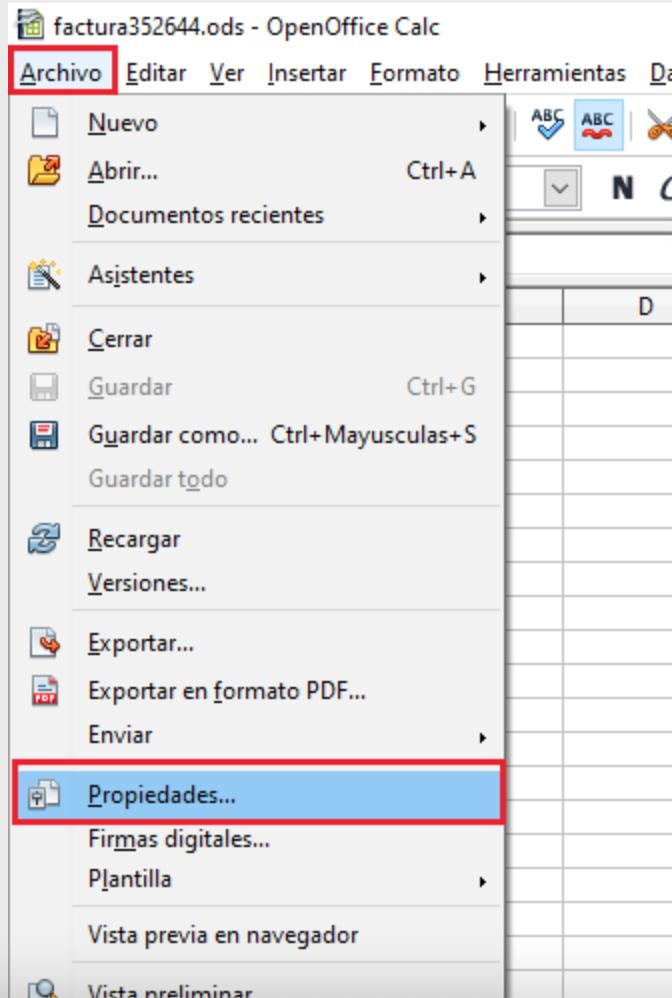
a) To delete the metadata in a file created in LibreOffice, first we save the document, then we click on the “File” menu and then on “Properties”.
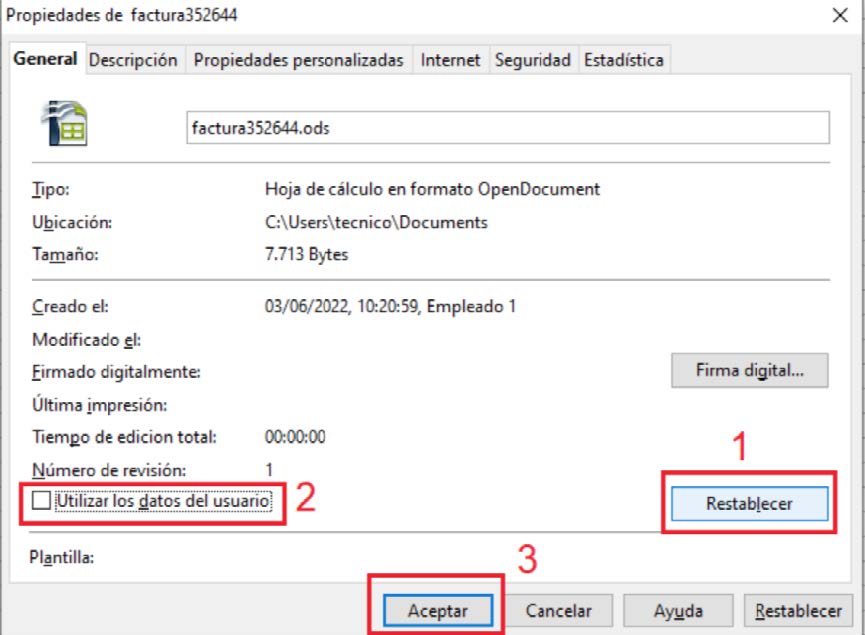
 b) A new window will open. We go to the "General" tab, click on "Reset" and then deselect the "Use user data" box, and finally click on accept.