Delete metadata in Microsoft Office office documents (Word, Excel and PowerPoint)
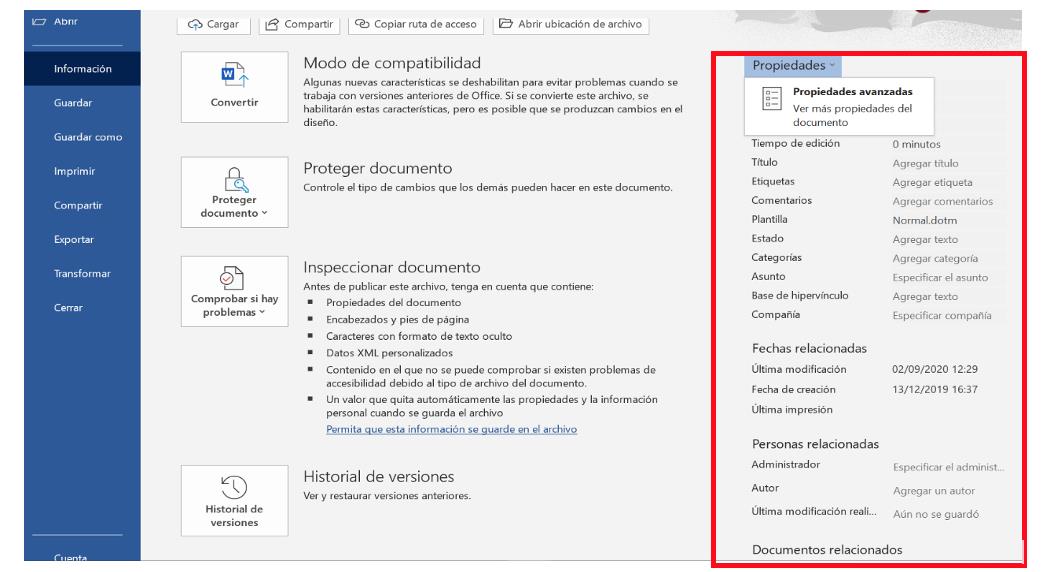
a) To view the information on the properties of an Office document, we go to the "File" tab and then click on "Information" to see the document's properties, which will appear on the right side of the screen.
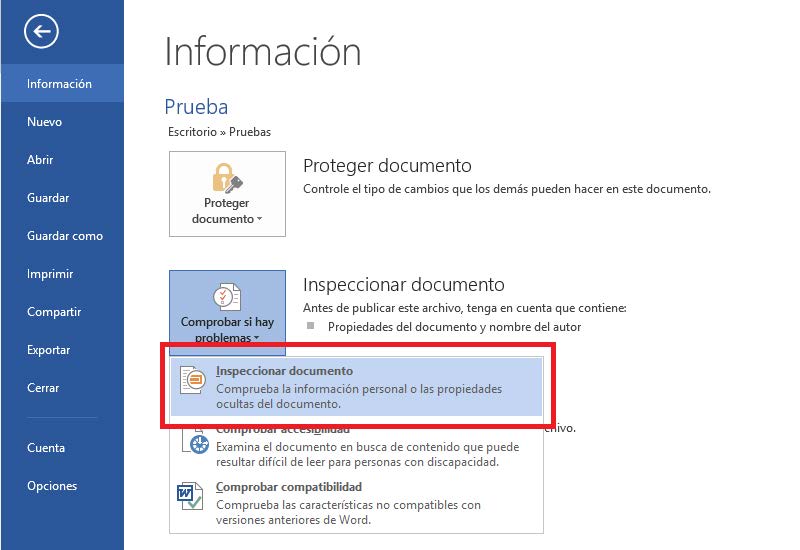
b) To remove the metadata of the saved document, click on "Check for problems" and then on "Inspect document".
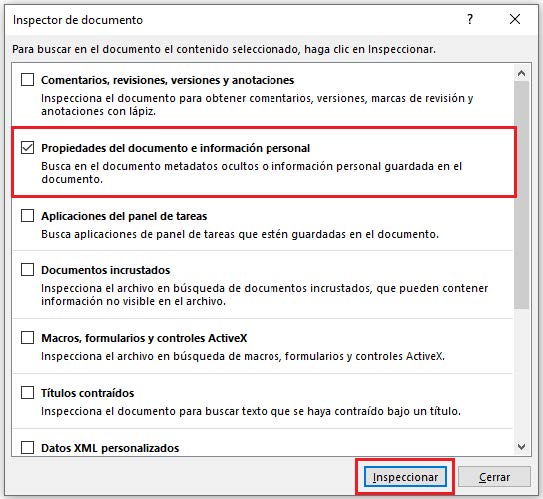
c) Then a dialog box with different options will appear, click on "Document properties and personal information" and then click on the "Inspect" button.

d) After inspecting our document, it will show us a window indicating if it has personal information in the metadata, to eliminate it we just click on "Remove all" and "Close" to finish.
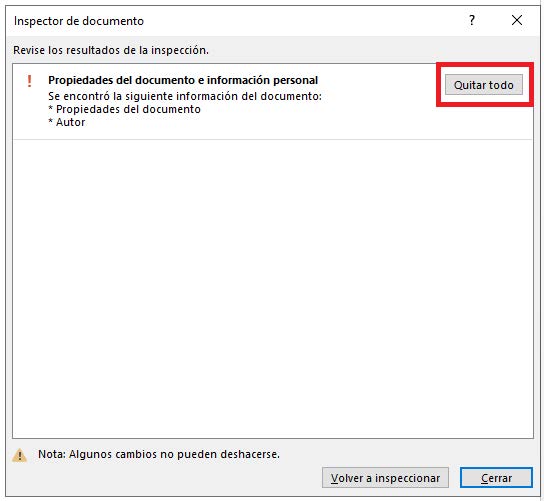
Finally, our Word document will be clean of metadata. The person who publishes or shares the document will be in charge of making sure that the document does not contain metadata.