Getting started
Experimental macOS build
Getting started
The published package contains the LinkEDA R package, the native macOS application, its icon and the mtcars and Alien example data. The current build is intended for Apple-silicon macOS with R 4.6.x.
LinkEDA is experimental and is not yet distributed as a signed or notarised Mac application. macOS may therefore ask you to confirm that you trust the downloaded software. Only override a security warning for a package obtained from this site and that you have chosen to trust.
Download

Version 0.0.1 · macOS arm64 · R 4.6
LinkEDA 0.0.1
Native R binary package (.tgz), including the LinkEDA application and examples.
No ZIP, DMG, PKG or other installer is published here.
Install from R
Download the file, then run:
install.packages(
  "~/Downloads/LinkEDA_0.0.1.tgz",
  repos = NULL,
  type = "binary"
)

library(LinkEDA)
This is a precompiled macOS package, so type = "binary" is intentional. Installing it as source would require Apple developer tools and a local native compilation.
Install with RStudio
- Open Tools > Install Packages….
- In Install from, choose Package Archive File (.tgz; .tar.gz).
- Browse to
LinkEDA_0.0.1.tgzin Downloads. - Confirm the installation, then run
library(LinkEDA)in the R console.
The menu wording can vary slightly between RStudio versions. R.app, Positron, VS Code and other R front ends can install the same package by running the command above in their R console. The published archive is a macOS Apple-silicon binary; it is not a Windows package.
Start LinkEDA
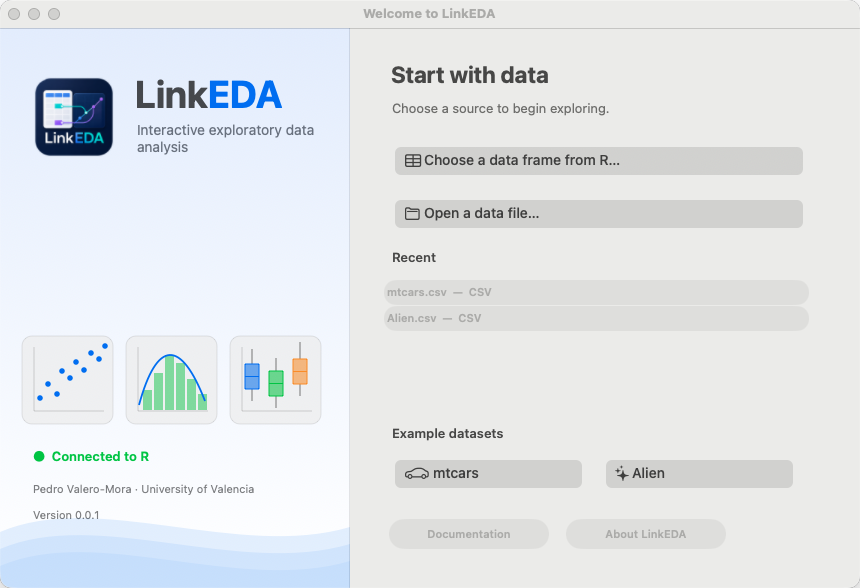
Start with no data and choose a file or an object from the Welcome Window:
library(LinkEDA)
LinkEDA()
Or start directly with a data frame, tibble or tribble:
library(LinkEDA)
LinkEDA(mtcars)
LinkEDA() is the current public launcher. It is also a compatibility wrapper around the original internal launch machinery.
Optional R packages
The core application runs without every optional analysis package. Particular features use additional packages when available: haven for SPSS, Stata and SAS files; readxl for Excel; mice for multiple imputation; emmeans and rstatix for selected comparisons; and lme4/lmerTest for mixed models. LinkEDA reports a missing dependency when an analysis needs one.
Update an existing installation
- Choose LinkEDA > Quit LinkEDA so that the native process closes.
- If the package is attached in the current R session, restart R before replacing it.
- Run the same
install.packages(..., type = "binary")command with the newer.tgz. - Load the package and call
LinkEDA()again.
The current package version is deliberately early (0.0.1); update and compatibility behaviour may change.
If macOS blocks the first launch
Try the launch once, then inspect System Settings > Privacy & Security for the standard option to allow software you trust. The project does not currently provide a notarised installer. Avoid disabling Gatekeeper globally.