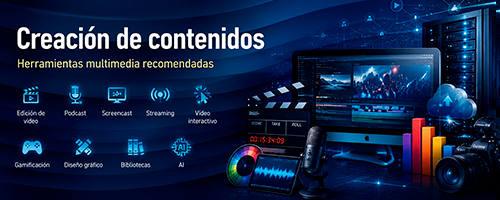
RECOMMENDED MULTIMEDIA TOOLS.
The Universitat de València provides its community with a wide range of institutional technology resources for multimedia content production.
This section complements that offer with a curated selection of third-party tools, recommended by the Servei d'Informàtica, organised into several categories according to their main use. Each category includes detailed fact sheets covering compatible platforms, download links, Spanish-language documentation and video tutorials.
⚠️ Disclaimer: The tools listed here are developed and maintained by third parties, independent of the UV. No technical support is provided for them. Before using any of these tools with sensitive content or personal data, please review their privacy policies and terms of use.
1. Video Editing
Tools for recording, cutting, assembling and exporting videos from your computer. Options are available for all skill levels, from basic clip editing to multi-camera production with scene mixing. Ideal for creating lecture recordings, tutorials, teaching materials or project presentation videos.
Tools included: OBS Studio · XSplit Broadcaster · Avidemux
2. Podcast Creation
Tools for recording, editing and exporting quality audio without the need for professional equipment. They support multi-track editing, sound effects and background noise removal. Particularly useful for lecturers who want to produce narrated audio materials, voice-overs or educational podcasts.
Tools included: Audacity
3. Screen Recording (Screencast)
Tools for capturing what happens on your computer screen, with or without webcam and audio. This section covers both the built-in options available in Windows 11 (no installation required), the integrated recorders in the UV's video portals, and third-party applications for more elaborate productions.
Tools included: Windows 11 native tools (Xbox Game Bar, Snipping Tool, Clipchamp) · UV Portals (Docenciavirtual, Edumedia Capture) · OBS Studio · Microsoft PowerPoint
4. Live Streaming
Resources for broadcasting content in real time over the internet: lectures, conferences, seminars or open events. Please note that the UV provides Opencast-equipped classrooms across all faculties, and both Zoom and Teams are also available for this purpose. This section adds complementary options for reaching external audiences or for more advanced productions.
Tools included: YouTube · OBS Studio
5. Interactive Video
Tools for enriching videos with questions, quizzes and interactive elements that students answer during playback. This section covers both the options already integrated into the UV's Virtual Classroom (H5P and video quizzes in Edumedia), and external applications for creating more elaborate interactive content.
Tools included: H5P in UV Virtual Classroom · Video quizzes in Edumedia UV · Lumi · Genially
6. Gamification and Classroom Interaction
Platforms for making classes more dynamic through real-time questions, polls, word clouds and educational games. Students participate from their own devices and results are displayed on screen instantly. All tools integrate with PowerPoint, Teams and the UV Virtual Classroom.
Tools included: Wooclap · Kahoot
7. Graphic Design and Visual Creation
Tools for creating visually appealing content without prior design knowledge: presentations, infographics, posters, banners, social media materials and image editing. Options range from simple, intuitive tools (Canva, Adobe Express, Piktochart) to a professional image editor comparable to Photoshop (GIMP).
Tools included: Canva · Adobe Express · Piktochart · GIMP
8. Free Video Libraries
Platforms for downloading royalty-free stock footage for use in presentations, teaching videos, multimedia projects or any audiovisual production. All resources listed are free and allow educational use. It is recommended to check the specific licence of each clip before use.
Tools included: Pixabay · Pexels · Videezy · Coverr · Mazwai
9. Image, Icon and Graphics Libraries
Repositories of free visual resources for use in teaching materials, presentations, publications and projects: high-resolution photographs, illustrations, vectors, icons and SVG silhouettes. Both general-purpose platforms (Unsplash, Pexels, Pixabay) and resources specifically aimed at educational use (INTEF Procomún) are included, as well as collections specialising in iconography (Flaticon, Iconfinder, Freeicons, Public Domain Vectors, SVG Silh). Attribution requirements are indicated for each resource.
Tools included: Unsplash · Pixabay · Pexels · Freepik · Wikimedia Commons · INTEF Procomún · Flaticon · Iconfinder · Freeicons · Public Domain Vectors · SVG Silh
10. Music and Sound Effects
Collections of royalty-free music and sound effects for use in videos, podcasts, presentations and multimedia materials. A distinction is made between platforms focused on background music (Incompetech, Audionautix, Free Music Archive) and libraries specialising in sound effects and field recordings (Freesound, ZapSplat, 99sounds, BBC Sound Effects Archive). Licence type and attribution requirements are indicated in every case.
Tools included: Freesound · Incompetech · Audionautix · Free Music Archive · ZapSplat · 99sounds · BBC Sound Effects Archive
11. Artificial Intelligence
The leading general-purpose generative AI assistants available in 2026, useful for writing, summarising, researching, translating, brainstorming, analysing documents and supporting teaching and study tasks. Differences between platforms are highlighted to help users choose the most suitable tool for each task. All of them offer a functional free plan. The use of these tools in academic work and assessments must comply with the UV's academic integrity policy and with the instructions provided by the responsible lecturer.
Tools included: Microsoft Copilot · ChatGPT · Gemini · Claude · Poe · NotebookLM
If you need more information about these recommended applications, including where to download them and how to use them, please refer to the